Instructions for use

B-PRESS R

Thermoforming
- Build a good-quality 3D resin model.
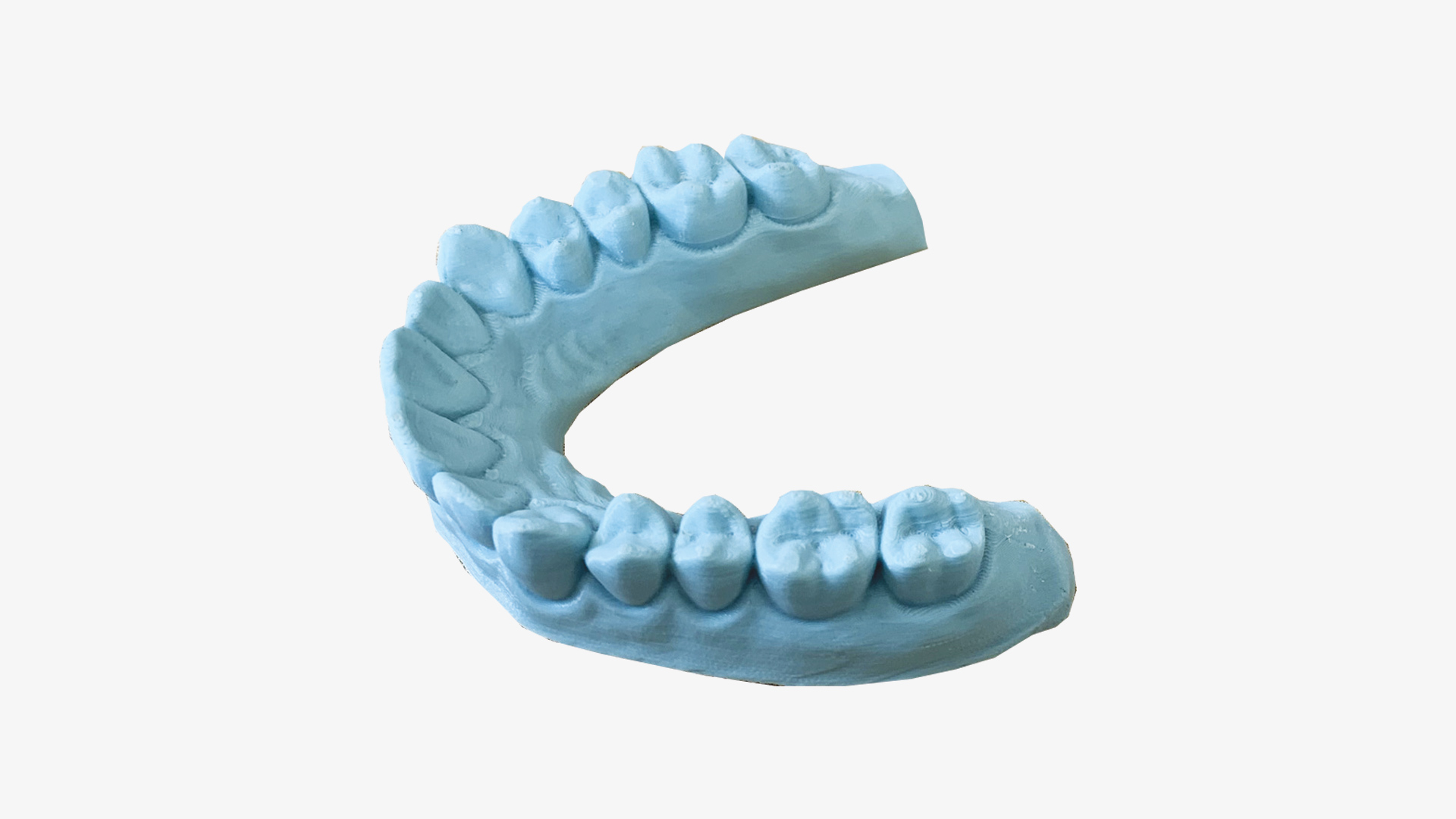
- The resin model, printed using a 3D printer, should ideally be made as low as possible and in a U-shape (horseshoe shape). (Img. 1).
- During thermoforming, the material always becomes thinner than its original thickness. As a general rule, for every centimetre of the mould’s height, there is a loss of thickness of approximately 20 per cent. For this reason, it is necessary to reduce the mould’s height as much as possible.
- If you use airtight resin moulds or lacquered moulds, there is a risk of incomplete thermoforming because the air cannot escape completely from between the mould and the thermoplastic sheet.
- Heat the sheet in accordance with the temperatures and times listed in the ‘Temperatures and times’ section of the IFU for the chosen material.
- Allow the newly moulded part to cool before removing it from the mould.
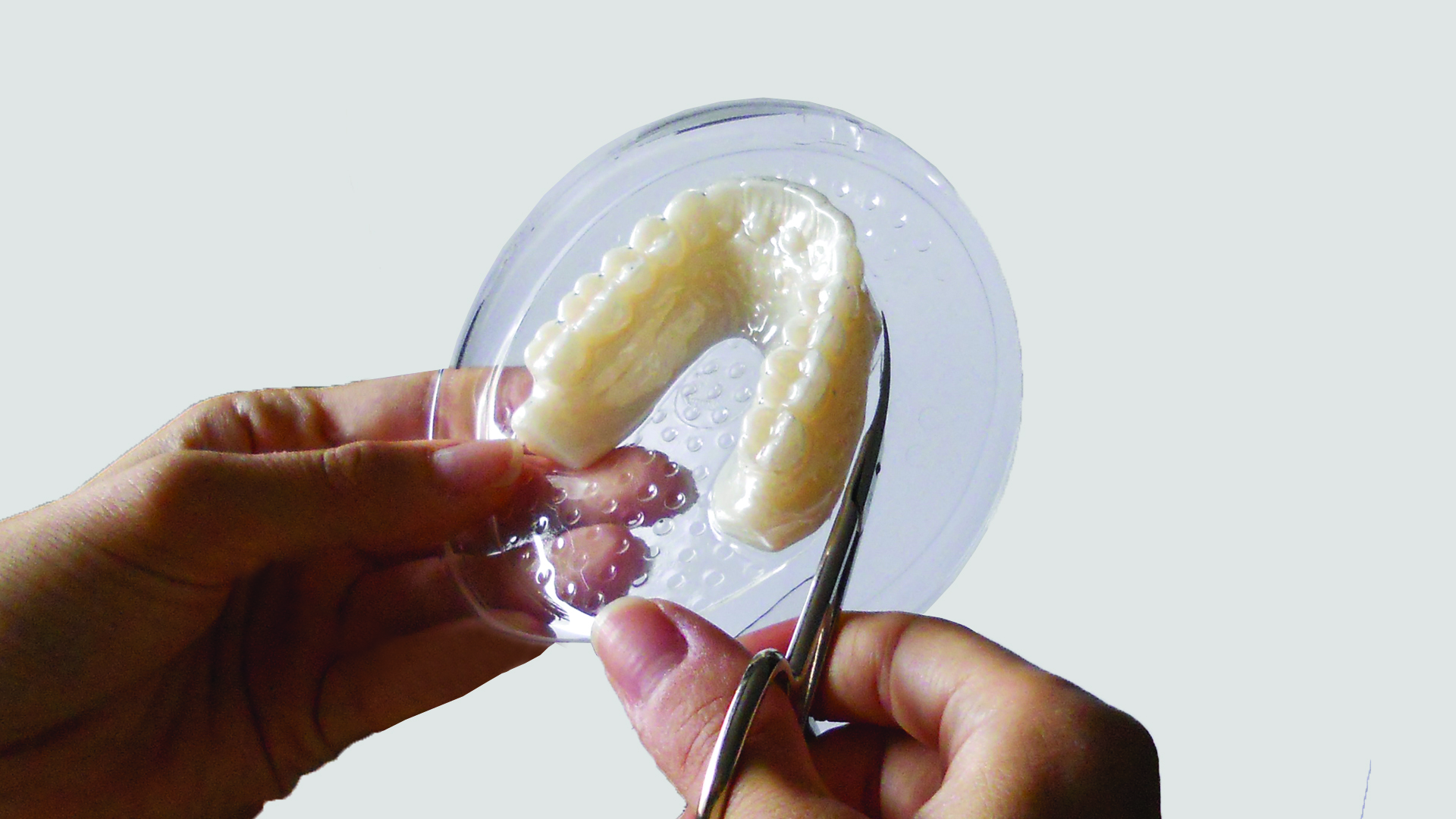
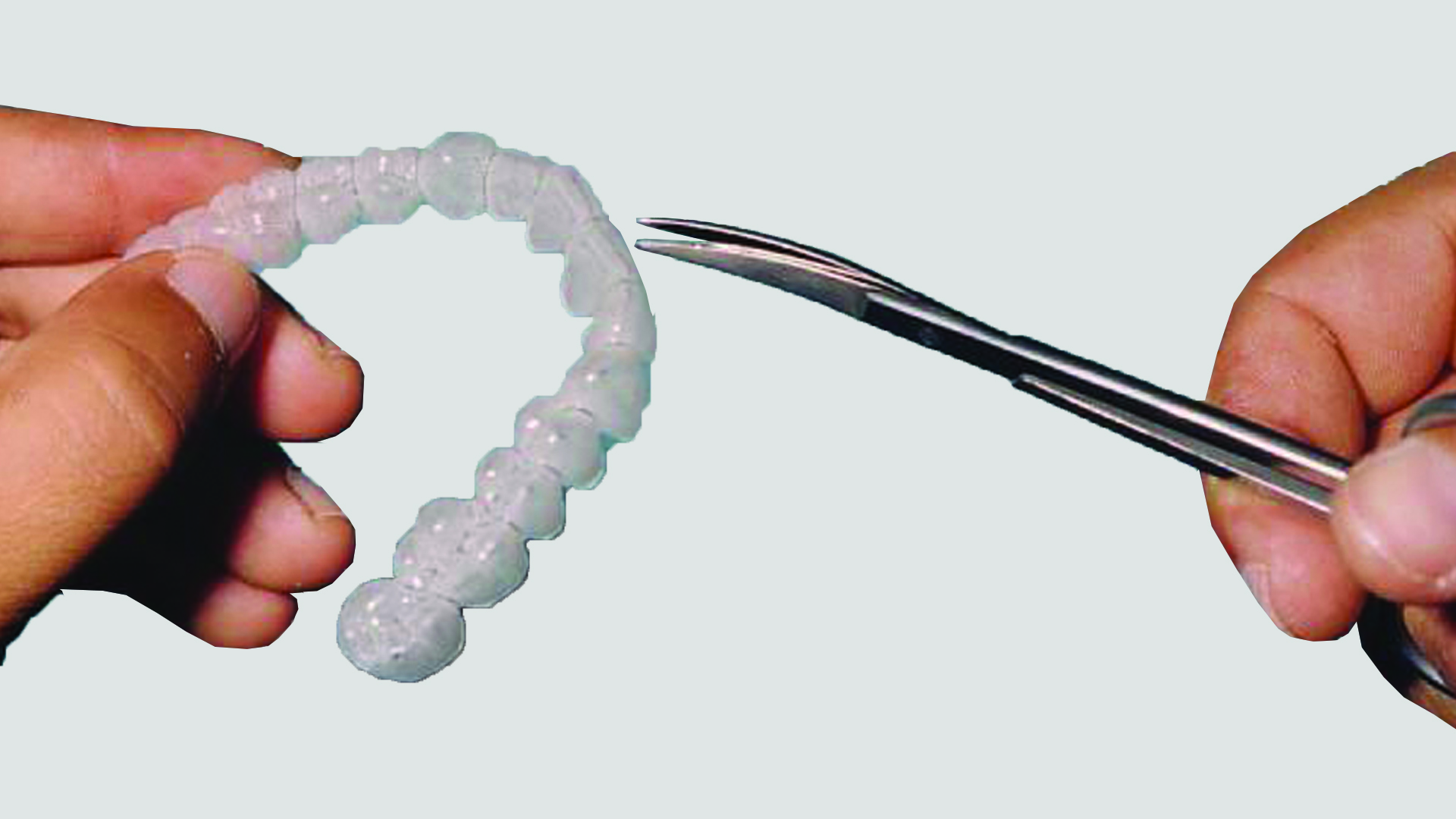
- To make removal easier, cut the plastic as close as possible to the edge of the model using scissors and cutters GHOST ALIGNER®.
- Whilst the patient is using the mouthguard, it is recommended that they sanitise it daily with the SPORISAN® Gel.
Safety precautions
Please read this and take the following precautions before using the thermoforming machine.
Positioning
- The thermoforming machine must always be placed on a flat, open surface: under no circumstances should the thermoforming machine be operated whilst it is inside a piece of furniture.
- Do not place the thermal printer too close to walls, furniture or any other equipment whilst it is in operation, due to the heat emitted by the heating element in the heating plate.
- Do not place the thermoforming machine near flammable liquids, such as alcohol or solvents. If the internal electrical components come into contact with flammable liquids, this could result in a fire or electric shock. Should any of these liquids enter the thermoforming machine, unplug the power cable immediately and contact your dealer.
- Do not place the thermoforming machine in the following areas. This could result in fire or electric shock:
- Areas with high humidity.
- Areas exposed to direct sunlight.
- Areas with high temperatures.
- Areas near sources of flame.
Power supply
- Do not damage, cut or alter the power cord. Do not place heavy objects on top of it, and do not pull on or bend the power cord excessively. Damaged wires may cause a fire or electric shock.
- Do not plug in or unplug the power cable with wet hands. This may result in an electric shock.
- Do not plug too many plugs into a single socket. This could result in a fire or electric shock.
- Always make sure that the power cable is properly plugged into the socket. If it is not fully plugged in, it could cause a fire or an electric shock.
- Do not use any power cables other than the one supplied. This could result in fire or electric shock. If you use a power cable not supplied by the retailer, ensure that it complies with the standards in force in your country. If the power cable is faulty, contact the manufacturer or your authorised supplier to have it replaced.
- As a general rule, do not use extension leads. This could result in fire or electric shock. If you must use an extension lead, do not use one longer than 5 metres. Ensure that the extension lead is not twisted and that the power cable is correctly connected to the extension lead. Do not use multiple extension leads.
- Do not use extension leads in corridors or other high-traffic areas where they may be trodden on or cause people to trip. This could damage the cables and lead to fires or electric shocks.
- Do not connect the thermoforming machine to a mains socket with a voltage other than that specified. This could cause a fire or electric shock.
- When unplugging the power cable, always hold the plug itself. If you pull on the power cable itself, the metal wires may be damaged, which could cause a fire or an electric shock.
General precautions for use
- Do not dismantle or modify the thermoforming machine. This could lead to fire or electric shock as a result of the improper use of its components.
- If you hear any unusual noises, see any smoke, feel excessive heat or notice any unusual odours, unplug the power cable and contact your retailer. Continued use could result in fire or electric shock.
- If you are not using the thermoforming machine for long periods, such as at the weekend, please ensure you unplug the power cable as a precaution.
- Take great care when moving the thermoforming machine. Dropping it could cause injury.
- Wait until the thermoforming machine has cooled down before covering it. Otherwise, a fire could break out.
- When you switch on the heating element for the first time, some smoke may come out of it. Don’t worry, as this is due to dust that has built up on the heating element.
- When you are finished using the machine, be sure to turn off the thermoforming machine by pressing the button on the front of the machine for 3 seconds (Img. 5).
- We recommend that you do not throw away the cardboard box and the packaging materials. They are the ideal container for transporting the thermoforming machine should technical assistance be required.

WARNING: Any damage caused during transport whilst the item is in packaging other than the original packaging will not be covered by the 2-year statutory warranty.
Materials provided
Thank you for purchasing the B-PRESS® R thermoforming machine. Please check that all the following items are included in the box. If any items are missing or damaged, please contact your retailer (Img. 3).

- N° 1 B-PRESS R thermoforming machine.
- N° 1 Schuko power cable.
- N° 5 Sheet holder.
- N° 5 Model holder.
- N° 5 Perforated plate.
- N° 1 QR Code instructions for Use (eIFU).
Cleaning
To ensure the B-PRESS® R thermoforming machine is cleaned correctly, please follow these instructions:
- Do not use flammable sprays near the thermoforming machine. Furthermore, do not pour water, liquids or flammable liquids onto the thermoforming machine. If these liquids were to penetrate the thermoforming machine and come into contact with the electrical components, this could result in a fire or electric shock. If anything were to penetrate the thermoforming machine, immediately disconnect the power cable and contact your dealer.
- Always unplug the power cable when cleaning the thermoforming machine. Failure to do so may result in fire or electric shock.
- When cleaning the thermoforming machine, use a cloth dampened with water and wrung out thoroughly. Do not use flammable liquids, such as alcohol, benzene or solvents. If a flammable liquid were to get into the internal electrical components, it could cause a fire or an electric shock.
Maintenance
To ensure the B-PRESS® R thermoforming machine is maintained correctly, please follow these instructions:
- Check the power cable regularly for signs of wear and tear, and ensure that the plugs are properly connected.
- Replacing the Fuse: A fuse has been installed in the electrical outlet located on the back of the thermoforming machine to protect the machine’s various electrical components. If a fuse blows for any reason, it must be replaced.
To replace the fuse, proceed as follows:- Unplug the power cord from both the wall outlet and the thermoforming machine.
- Carefully open the fuse box cover using a screwdriver (Img. 4) and replace the blown fuse with a new one. It is very important to keep spare fuses of the same type (10 AT 250V time-delay fuses) on hand so that they can be replaced if necessary. Using a different type of fuse may cause damage to the thermoforming machine and therefore void the warranty.
- The thermoforming machine is constructed using the highest quality materials. However, after several years of use, the frame, O-rings, and some other parts may wear out and may therefore need to be replaced.

Installation
The thermoforming machine is supplied ready for use. It takes just a few simple steps to set it up and get it running.
- Remove the thermoforming machine from its box by slipping your hands into the open sides and lifting it from the base underneath, taking care not to damage any part of the wheel. and place it on a flat surface (Img. 6).

NOTE: When removing the thermoforming machine from the box and to prevent any accidental damage, we recommend that two people work together, standing on opposite sides of the box.
- Connect the female end of the power cable to the socket on the thermoforming machine, located at the rear, and the male end of the power cable to a mains socket. Never place the power cable near any source of heat. Press the main switch located on the front of the thermoforming machine (Img. 2). the button will start flashing, and the thermoforming machine will turn on in about 30 seconds.
- When cleaning the thermoforming machine, use a cloth dampened with water and wrung out thoroughly. Do not use flammable liquids, such as alcohol, benzene or solvents. If a flammable liquid were to get into the internal electrical components, it could cause a fire or an electric shock.

WARNING: Before starting up the thermoforming machine, check that the mains voltage is correct.
Warranty
The B-PRESS® R thermoforming machine is covered by a 2-year warranty from the date of purchase against recognised defects in materials or workmanship.
Should a defect become apparent during the warranty period, the thermoforming machine will be repaired or replaced free of charge only if:
- The thermoforming machine has not been used for any purpose other than that for which it is intended.
- No unauthorised modifications or repairs have been carried out.
Warranty terms may vary depending on the country in which the thermoforming machine was purchased.
NOTE: The following components are excluded from the warranty: o-rings, fuses, stainless steel granules and the power cable.
Repairs
For any type of repair, please send your B-FORM® thermoforming machine to your dealer or directly to our service centre.
Please follow these instructions for repairs:
- Always dispatch the thermoforming machine with a consignment note and accompanied by a precise and detailed description of the problem.
- The thermoforming machine must be sent to our address on a carriage-paid basis. Otherwise, the goods will be refused.
- The thermoforming machine will be returned from our premises to your address on a carriage-paid basis, with the delivery charges added to your invoice.
- All the out warranty repairs will be sent to you upon advance payment.
- When dispatching the thermoforming machine, please ensure it is packed with great care using the original packaging. Under no circumstances should you use polystyrene beads as packing material, as they could become lodged inside the heating element and cause a fire.
Warranty terms may vary depending on the country in which the thermoforming machine was purchased.
B-PRESS® R
A professional model ideal for large-scale production.
With the new B-PRESS® R pressure thermoforming machine, you can take your productivity to the next level.
Thanks to its innovative continuous production cycle technology with no waiting times and an operating pressure of up to 10 bar, you can produce up to 240 aligners per hour with exceptional detail.
Features:
- Pressure up to 10 bar
- Automated process
- Continuous production process
- No waiting time
- Universal compatibility with 125×125 mm, Ø 120 mm and Ø 125 mm sheets
- Dynamic pressure control
- Dynamic temperature control
- 7-inch touchscreen display
- Automatic OTA updates
- Internet connection via Wi-Fi and Ethernet cable
Production capacity: up to 240 aligners in 1 hour.
Infrared temperature sensor: precise measurement of the actual temperature of the thermoplastic sheet during the heating phase, in order to ensure that all thermoformed products are consistently identical.
Universal compatibility and standard thermoplastic sheet sizes: The B-PRESS R can be used with all commercially available thermoplastic sheet materials and sizes (square 125 x 125 mm, round Ø 120 and Ø 125 mm), without having to change your working methods, whilst simply increasing productivity.
Power consumption: 700 Watts – 10 A
2 years warranty.
PRODUCT FOR PROFESSIONAL USE
Instructions for use
To ensure the B-PRESS® R thermoforming machine is used correctly, please follow these instructions:
- Switching on the thermoforming machine
Plug the supplied power cable into the thermoforming machine at one end and into a mains socket at the other end. Press the main switch located on the front of the thermoforming machine. (Img. 2), the button will start flashing, and the thermoforming machine will turn on in about 30 seconds.
NOTE: During booting, the LCD display remains off whilst the thermoforming machine checks in the background for any new OTA updates, if available, it downloads them automatically.
Every time it is switched on, the B-PRESS R thermoforming machine carries out a hardware check on all its internal components to ensure they are functioning correctly. The following screen appears on the LCD display (Img. 7).
WARNING: During the hardware check process, the thermoforming machine rotates the sheet and model positioning wheel by half a turn.
Immediately afterwards, the ‘LANGUAGE SELECTION’ screen appears (Img. 8). - Language selection
By pressing the next button or the back button
  you can select your preferred language and and then click on the flag (Img. 9). The selected language is saved for the next time the device is started.
 - Selecting the sheet type and thickness
The ‘SHEETS MENU’ screen appears on the LCD display (Img. 10). - By pressing the next button or the back button you can scroll through the pages of the sheets menu to select the type of sheet you wish to format and then click on the desired thickness (Img. 11).
- Click the “DEFAULT” button to start the thermoforming process at the factory-set temperature, or click the “+ 5 °C” or “- 5 °C” button if you want to increase or decrease the temperature from the factory setting.
- Thermoforming process
The B-PRESS® R thermoforming machine enables the complete automation of the thermoforming process for square and round sheets.
- Open the sheet holder and insert the thermoplastic sheet to be moulded. Then close the sheet holder and place it inside the designated area of the thermoforming machine, as shown in the video on the LCD display (Img. 12).
- Put on the model holder the the dental model to be moulded. Then place it inside the designated area of the thermoforming machine, as shown in the video on the LCD display (Img. 13).
WARNING: Once the sheet holder and the model holder have been inserted, the thermoforming machine will automatically start the continuous-cycle thermoforming process.
Follow all the subsequent steps indicated by the videos that appear on the LCD display and by the voice guide.
NOTE: To end the continuous cycle, click the “STOP THE PROCESS” button or do not insert a new sheet holder and model holder into the designated area of the thermoforming machine (after about 15 seconds, if the input area is not filled, the process will stop automatically).
- Thermoforming of a new type of sheet
If you use a sheet from another brand, the B-PRESS® R thermoforming machine allows you to save an unlimited number of custom sheet profiles.
Proceed as follows: - By pressing the next button or the back button you can scroll through the pages of the sheets menu to select "CUSTOMISED" sheet type and then click on "CUSTOMISE" button (Img. 16).
- Set the desired pressure and temperature using the corresponding scroll bars (Img. 17).
- Click the “START PROCESS” button to start the thermoforming process (Img. 18).
- Storage of a new custom sheet configuration
To save the new custom sheet configuration and use it in future, click on the "SAVE" button on the right-hand side (Img. 21).
In the screen that appears, give a unique name to the new custom sheet and than click the "SAVE" button (Img. 19). - Selecting a previously saved custom sheet configuration
To select a previously saved custom sheet configuration press the next button or the back button you can scroll through the pages of the sheets menu to select "CUSTOMISED" sheet type and then click on the "LIST" button on the right-hand side (Img. 20).
In the screen that appears, select the name of the new custom sheet from the list and than click the "OPEN" button (Img. 22). - Removal of the thermoformed sheet
At the end of the process, remove the sheet holder and model holder from the designated area of the thermoforming machine, as shown in the video on the LCD display (Img. 14). - Once the sheet has cooled, to remove the model from the sheet, you need to cut away all the excess plastic with scissors and cutters: To make removal easier, the plastic should be cut as close as possible to the edge of the model (Img. 23 - Img. 24).


Technical Specifications
Symbols
This guide uses the following symbols to highlight important information. Always follow the instructions marked with these symbols.
- 1 - Fuse
- 2 - Electrical voltage
- 3 - Hot surfaces
- 4 - Risk of pinching
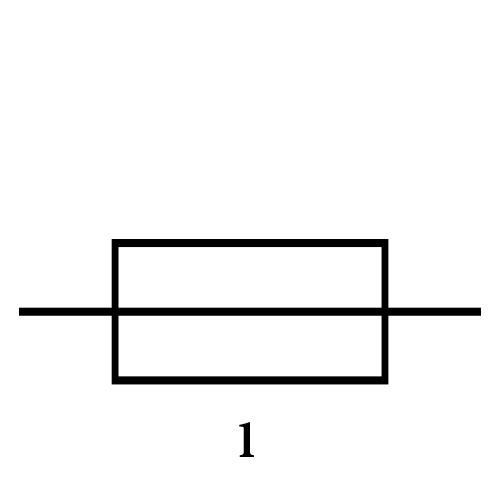
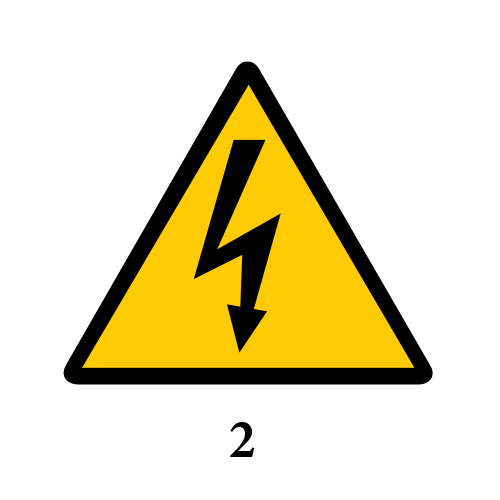
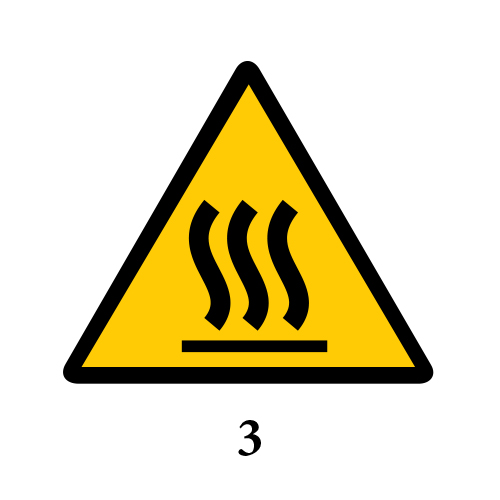

WARNING: These symbols indicate instructions which, if not followed, may result in serious injury to persons and/or damage to property caused by the incorrect use of the equipment. These instructions must be followed to ensure safe use.
Disposal
For the disposal of B-PRESS® R thermoforming machines, please refer to the relevant legislation in each country.
FAQs
Would you like to find out more?Read the FAQs about the product.
1. The sheet has not been heated correctly and requires further heating. We recommend following the heating instructions set out in the ‘Temperatures and times’ section.
2. The thermoforming machine is experiencing suction problems due to wear and tear on components (seals, vacuum motor) or excessive dirt build-up in the various filters, which is preventing the air flow from passing through correctly.
Manufacturer

BART MEDICAL S.R.L.
Viale Vincenzo Randi 118
48124 Ravenna (RA)
+39 0544 523326
sales@bartmedical.com
www.bartmedical.com
Support
For further information and technical support, please contact us by email at sales@bartmedical.com